BS Software Engineering - IV - A
Instructor: Baber Sheikh (Visiting Faculty)
| Assessment Type | Marks | Percentage |
|---|---|---|
| Final Examination | 50 | 50% |
| Mid-Term Examination | 30 | 30% |
| Quizzes | 5 | 5% |
| Assignments/Presentations | 10 | 10% |
| Class Participation/Activities | 5 | 5% |
| TOTAL | 100 | 100% |
Important: Regular attendance and active participation are essential!
Software Architecture and Design Illuminated
By: K. Qian, J. Fu, X. Tao, C.W. Xu, L. Diaz-Herrera
Publisher: Jones & Bartlett
Dive Into Design Patterns
By: Alexander Shvets
Year: 2019
⭐ Highly Visual & Beginner-Friendly!
Software Architecture in Practice
By: Len Bass, Paul Clements, Rick Kazman
Edition: Second Edition
Publisher: Addison Wesley
Tip: "Dive Into Design Patterns" is available as PDF with excellent visual explanations!
Just like a restaurant has different areas (kitchen, dining, billing), software architecture divides the system into components!
• Prepares food (processes data)
• Follows recipes (business logic)
• Hidden from customers
• Customer interface
• Takes orders (user input)
• Displays menu (UI)
• Stores recipes
• Tracks inventory
• Manages orders
Architecture defines how these parts communicate!
By the end of this lecture, you will be able to:
"The fundamental organization of a system embodied in its elements, their relationships to each other and to the environment, and the principles guiding its design and evolution."
Architecture is like a house blueprint before construction begins
It's the high-level structure showing how parts work together
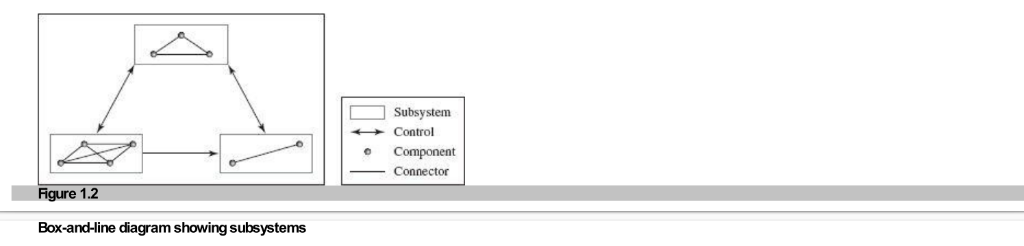
Comes after requirements analysis and before implementation
Input: Software Requirements Specification (SRS)
Output: Software Design Description (SDD)
| Architecture Design (Strategic) | Detailed Design (Tactical) |
|---|---|
| High-level structure | Low-level implementation details |
| Visible to stakeholders | Internal to developers |
| Example: "Use a priority queue" | Example: "Implement with linked list" |
| What and Why | How |
Architecture: "System will use a priority queue to handle requests"
Detailed Design: "Priority queue implemented using doubly linked list for O(1) insertion"
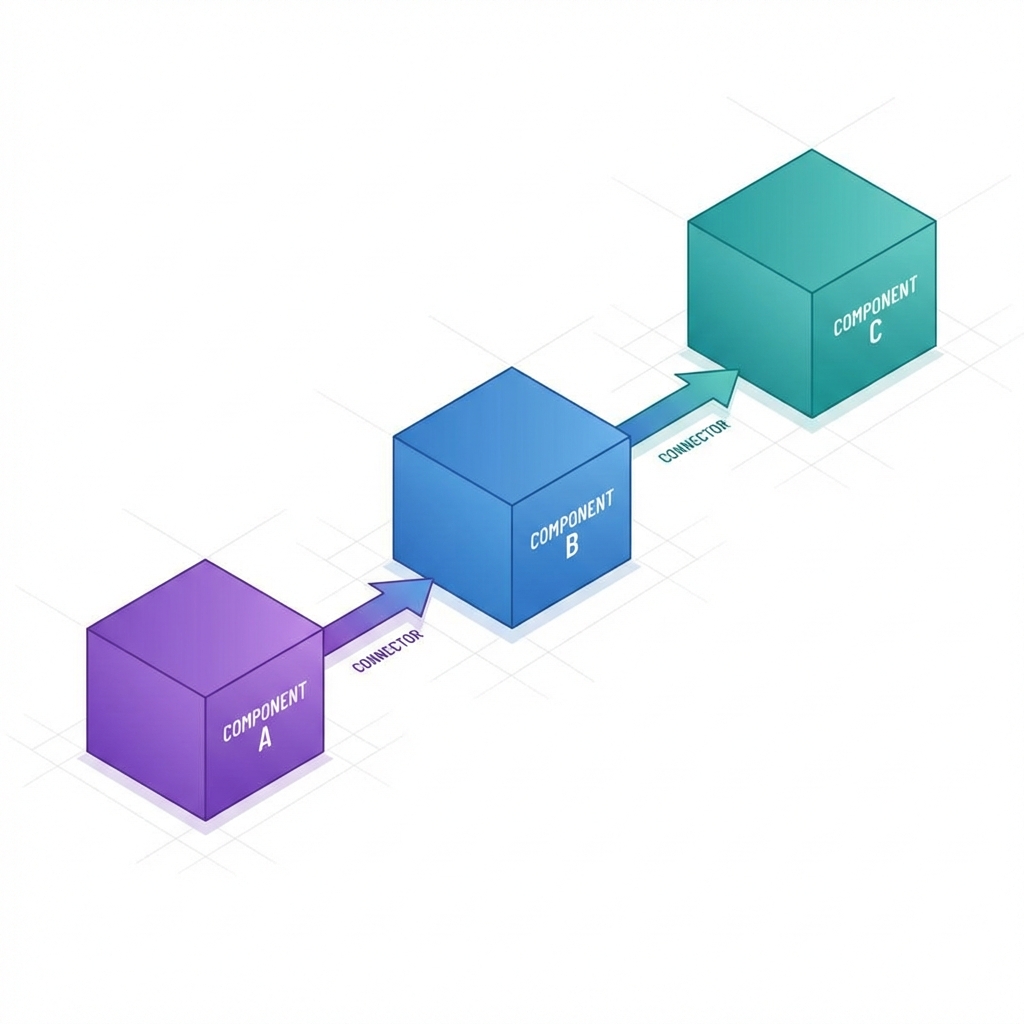
Modules, objects, services that perform functions
Communication channels between elements
Rules governing integration
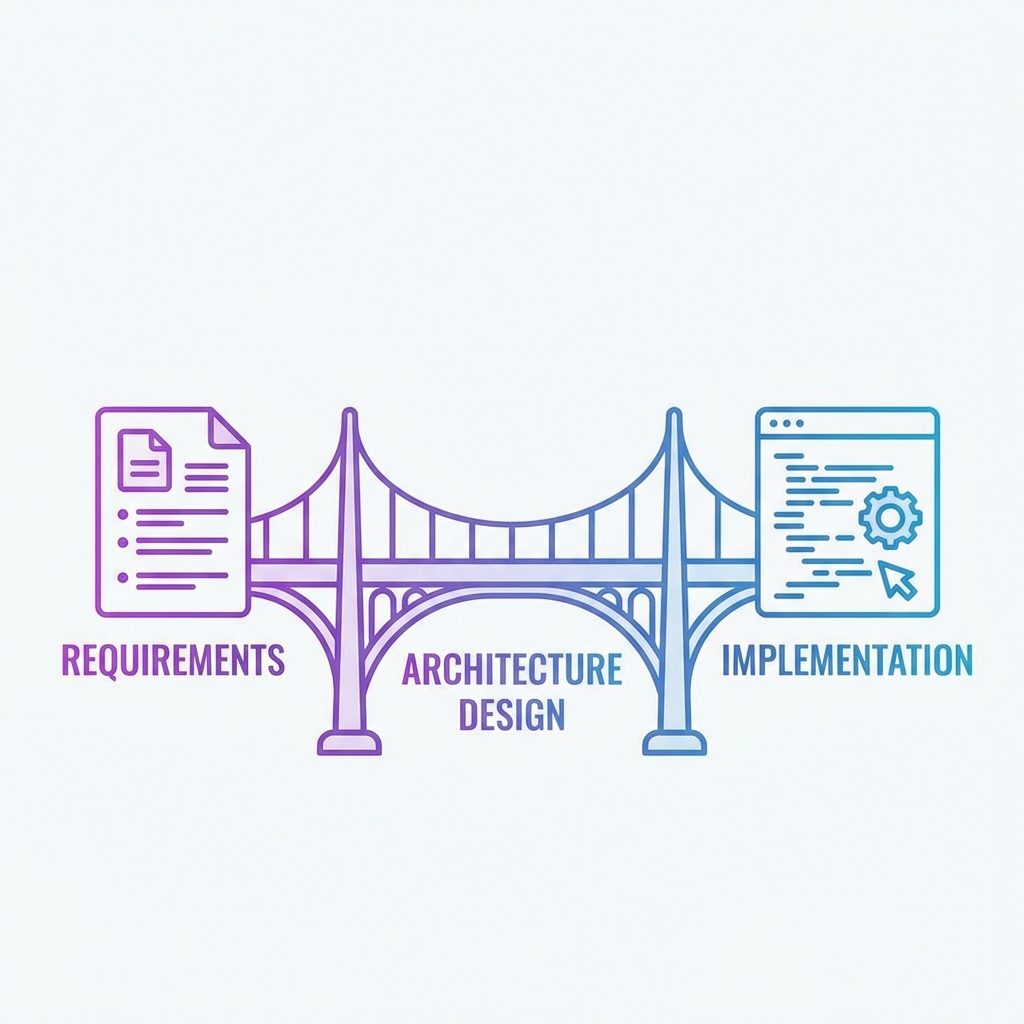
Software architecture connects what the customer wants (requirements) with what developers build (implementation)
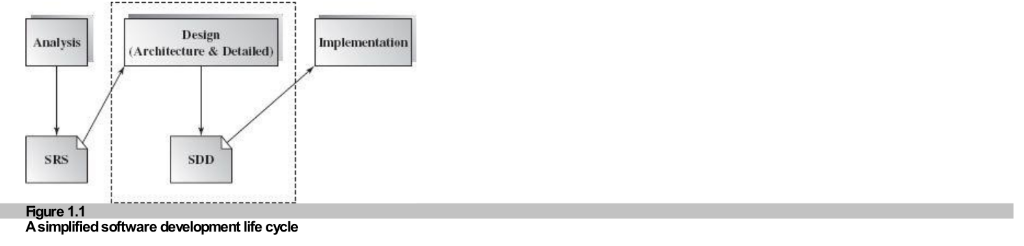
Box-and-line diagrams are a starting point, but they are NOT complete!
Missing information:
Partition system into subsystems and define communication
Establish data flow and control relationships
Evaluate and choose appropriate architecture styles
Balance quality attributes and requirements
Most Important: Map SRS to architecture design while ensuring functional and nonfunctional requirements are met!
Each element should have a single, well-defined responsibility
Example: A "User Authentication" module should ONLY handle login/logout, not also send emails
Elements should have minimal dependencies on each other
Example: Changing the database shouldn't require changing the UI
class UserManager {
    login()
    logout()
    sendEmail()
    generateReport()
    processPayment()
}
Too many unrelated responsibilities!
class AuthService {
    login()
    logout()
}

class EmailService {
    sendEmail()
}

class ReportService {
    generateReport()
}
Each class has ONE clear purpose!
Email (Loose Coupling): Send message anytime, receiver responds when available. You can do other work while waiting.
Phone (Tight Coupling): Both must be available at same time. You're blocked until call ends.
An architecture style is a family of similar designs that share common properties, rules, and patterns for structuring a system.
Victorian, Colonial, Modern - different styles for different needs
Layered, MVC, Client-Server - different patterns for different problems
Components that perform required functions
Enable communication and coordination
Rules for integration
Advantages and disadvantages
We'll study these in detail in coming weeks:
Database at center, accessed by other elements
Data transformed through series of operations
Functions organized in hierarchy
Objects with data and operations
Organized in abstraction levels
Components on different servers
Role: User Interface
Accepts requests, displays results
Example: Web browser, mobile app
Role: Business Logic
Processes requests, applies rules
Example: Laravel backend, Node.js API
Role: Data Storage
Manages data queries and updates
Example: MySQL, PostgreSQL
Client (Browser) → Server (PHP/Apache) → Database (MySQL)
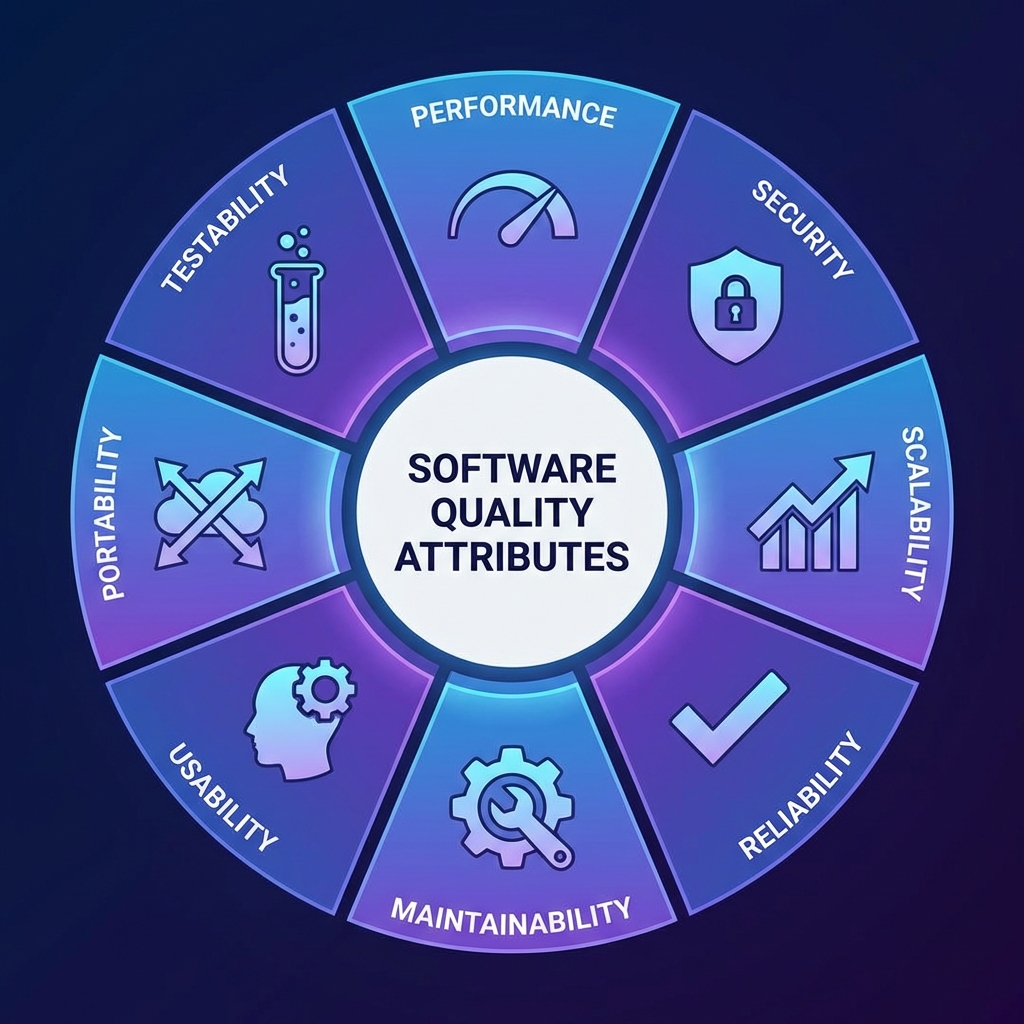
Quality attributes are nonfunctional requirements that describe HOW WELL the system performs its functions.
Maintainability, Testability, Portability, Scalability, Flexibility, Interoperability
Performance, Security, Availability, Usability, Reliability
Time to Market, Cost, Lifetime
| Attribute | Description | Example |
|---|---|---|
| Maintainability | Ease of modifying the system | Well-documented code, modular design |
| Testability | Ease of establishing test cases | Unit tests, integration tests |
| Portability | Independence from platforms | Java "write once, run anywhere" |
| Scalability | Ability to handle growth | System handles 100 to 10,000 users |
| Flexibility | Ease of adaptation | Plugin architecture, microservices |
| Attribute | Description | Example |
|---|---|---|
| Performance | Response time, throughput | Page loads in < 2 seconds |
| Security | Protection against attacks | Encryption, authentication, firewalls |
| Availability | System uptime | 99.9% uptime (8.76 hours downtime/year) |
| Reliability | Failure frequency, accuracy | Mean Time To Failure (MTTF) |
| Usability | User satisfaction | Intuitive UI, good documentation |
You CANNOT maximize all quality attributes simultaneously! Tradeoffs are necessary.
Hash table: More space = Faster lookup
Compression: Less space = Slower access
Java: Safe (array bounds checking) but slower
C: Fast (pointers) but less safe
Replicated servers: More scalable
But synchronization reduces performance
More security checks = More user friction
Easier login = Potential security risk
Client Requirement: "I want it fast, secure, cheap, and available 24/7!"
These guidelines help you make better design decisions
Identify requirements before thinking about implementation
"Let's use MongoDB!"
But why? What problem are we solving?
"We need to store user data"
"Requirements: Fast reads, flexible schema"
"Therefore: MongoDB is suitable"
Benefit: Avoid costly redesigns later in development!
Start with interfaces and contracts, then implement details
// First: Define abstract interface
interface PaymentProcessor {
    processPayment(amount, method)
    refund(transactionId)
}

// Later: Implement concrete classes
class StripePayment implements PaymentProcessor { ... }
class PayPalPayment implements PaymentProcessor { ... }
Benefit: Easy to add new payment methods without changing existing code!
Think about performance, security, scalability from the start, not as an afterthought!
"Let's build it first, optimize later"
Result: Complete redesign needed!
"Expected 10,000 concurrent users"
"Design for horizontal scaling from day 1"
Result: System ready to scale!
Don't reinvent the wheel! Use existing components and design for future reuse.
Instead of writing email code in every feature:
// Create reusable service
class EmailService {
    send(to, subject, body)
    sendTemplate(to, templateName, data)
}

// Use everywhere
emailService.send(user.email, "Welcome", "Hello!")
emailService.send(admin.email, "Alert", "Issue detected")
Benefits: Fix bugs once, add features once, test once!
We already covered this! It's SO important it's a guideline too!
Each module does ONE thing well
Measure: Can you describe the module's purpose in one sentence?
Modules don't depend heavily on each other
Measure: Can you change one module without changing others?
Design is NOT a one-time activity. Expect to refine and improve!
"Perfect is the enemy of good" - Don't wait for perfection, iterate!
"Build a user management system"
Problem: No constraints, developers confused
"Use exactly 3 nested for-loops, variable names must be x, y, z"
Problem: Restricts implementation, no flexibility
"User management system with authentication, role-based access control, and audit logging. Use industry-standard security practices. Performance: < 200ms response time."
Clear requirements + implementation freedom!
Visual notation for software design
Show different perspectives
Architecture Description Languages
Formal specification of structure and semantics
We'll cover UML in detail in Week 3!
Architecture is the BRIDGE between requirements and implementation. Good architecture = Successful software!
Textbook Chapter 2: Software Architecture Design Space
Come prepared with questions!
Think about a software system you use daily (Facebook, WhatsApp, etc.)
What architecture style do you think it uses?
What quality attributes are most important for it?
Thank you!